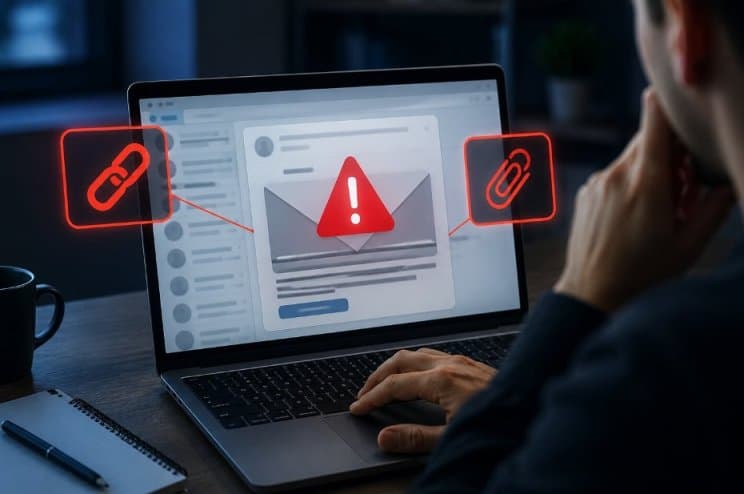
A suspicious link or attachment is any element in an email that asks you to click, download, or enter information before you can fully confirm who sent it and why. This includes shortened URLs, unexpected invoice attachments, password protected files you were not told to expect, and login pages that look slightly off from the real site.
The core signal is mismatch. The sender’s tone, timing, or request does not match how that person or company normally communicates with you.
Attackers exploit routine business moments on purpose. Finance staff approving a wire transfer, an employee opening a file from an unfamiliar name, or an executive clearing an inbox quickly are the exact moments a phishing email is built to target.
Why This Matters Right Now
Phishing remains the most common way attackers get into a network. A human element, such as a person clicking a bad link or reusing a password, was involved in 62% of confirmed breaches.
Two things have changed the risk in 2026. First, volume. The Anti Phishing Working Group recorded close to 3.8 million phishing attacks in its latest full year count, and Google alone blocks around 100 million phishing emails every day.
Second, quality. Generative AI now writes much of this content, and AI written spear phishing emails have reached click rates that match human written attacks at a fraction of the cost. The old advice of “check for spelling mistakes” no longer catches most attempts.
How to Spot a Suspicious Link Before You Click
Check these signals before you click anything in an email:
- Hover your cursor over the link without clicking and look at the actual URL shown in the bottom corner of your email client or browser. If the visible text says one thing but the real address goes somewhere unrelated, treat it as suspicious.
- Compare the sender’s full email address, not just the display name, against a message you know is genuine from that same contact.
- Watch for urgency. Messages that demand immediate action, threaten account suspension, or pressure you to skip your normal verification steps are a common lure pattern.
- Be cautious with shortened links (bit.ly, tinyurl, and similar services) since they hide the true destination until after you click.
- Note that callback phishing, where the email tells you to call a phone number instead of clicking anything, grew sharply in late 2025 specifically to get around link scanning tools.
How to Handle a Suspicious Attachment
Attachments carry their own risk because opening a file can run code on your device immediately, without any further clicks.
Do not open attachments from senders you do not recognize, and treat unexpected attachments from known contacts with the same caution since their account may be compromised.
Password protected zip files sent without prior warning are a frequent tactic, since the password itself is often included in the email to bypass automatic scanning.
Files with double extensions, such as invoice.pdf.exe, should never be opened. If your email client shows a warning banner on the attachment, do not dismiss it without reading it first.
What to Do Instead of Clicking
Once you have identified a message as suspicious, follow these steps in order.
- Do not click any link or open any attachment in the message.
- Verify the sender through a separate, known channel. Call the person on a number you already have, or message them on a platform outside of email, rather than replying to the suspicious email itself.
- Report the message using your email provider’s built in “Report phishing” or “Report suspicious” button. This routes the email to your security team or provider for review.
- Delete the message once it has been reported, unless your organization asks you to keep it for investigation.
- If you are unsure whether a request is genuine, pause. A legitimate sender will not penalize you for confirming a request through a second channel.
Comparison: Common Red Flags vs What They Usually Mean
| Red Flag | What It Usually Signals | Recommended Action |
|---|---|---|
| Urgent deadline or threat of account closure | Pressure tactic to stop you from verifying | Do not act immediately, confirm through a known contact method |
| Mismatched sender address vs display name | Spoofed or impersonated sender | Check the full address, report if it does not match |
| Shortened or masked link | Hidden destination URL | Hover to preview, do not click if unsure |
| Unexpected password protected attachment | Attempt to bypass antivirus scanning | Do not open, verify with the sender directly |
| Request to call an unfamiliar phone number | Callback phishing bypassing link scanners | Look up the company’s real number independently |
| Generic greeting on a message claiming to be from someone you know | Possible AI generated mass phishing attempt | Verify through a separate channel before responding |
Conclusion
Suspicious links and attachments succeed by exploiting a rushed moment, not by fooling a careful reader.
Slow down, verify the sender through a channel other than the email itself, and report anything that does not check out. That single habit blocks the large majority of attempts, even as the emails themselves keep getting harder to spot on sight.
Comments are closed, but trackbacks and pingbacks are open.