Claude Projects and ChatGPT Custom GPTs both let you save instructions and files, so you stop repeating yourself in every chat.
They work differently. A Claude Project is a workspace for ongoing work, and a Custom GPT is a packaged assistant built for one repeatable job.
This guide compares how each handles knowledge files, instructions, sharing, and outside tools. It also covers ChatGPT Projects, lists the limits that catch people off guard, and ends with three questions that help you choose.
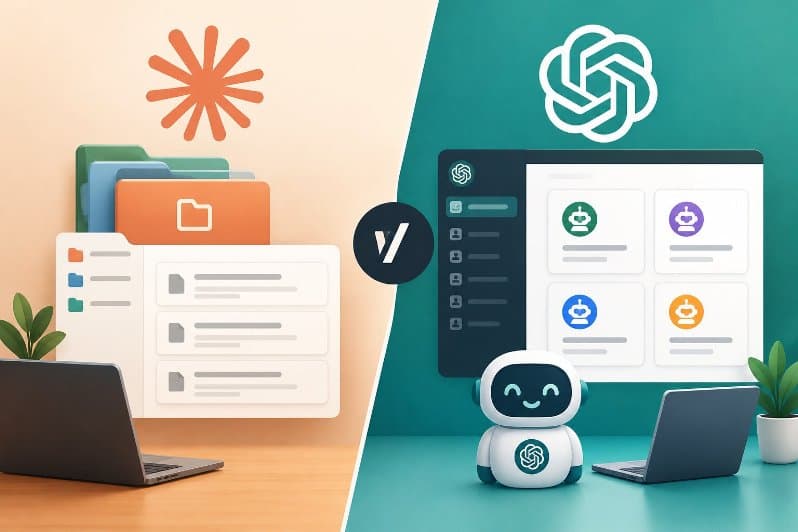
Main Difference Between Claude Projects and ChatGPT Custom GPTs
The main difference is purpose. A Claude Project is a workspace for doing ongoing work with Claude.
A Custom GPT is a configured assistant that does one defined job. Both store instructions and files, but they are built for different users.
Think of a Claude Project as a desk with your files and notes already laid out. You sit down and work.
Think of a Custom GPT as a trained specialist with a job description. You write the description once, and anyone you give access to can use the specialist.
GPT is short for Generative Pretrained Transformer, the model family behind ChatGPT.
A Custom GPT is OpenAI’s name for an assistant you configure inside ChatGPT. Claude Projects is Anthropic’s name for its workspace feature inside Claude.
One more point matters for a fair comparison. ChatGPT also has its own Projects feature, which is closer to a Claude Project than a Custom GPT is.
How Claude Projects Work: Instructions, Knowledge, and Sharing
A Claude Project is a workspace with its own chat history, knowledge base, and instructions. You set it up once. Every new chat inside it starts with that setup already in place.
Here is what you control inside a project:
- Project knowledge is where you upload documents, text, code, or other files. Claude uses them as background for every chat in the project.
- Project instructions tell Claude how to respond, such as a formal tone or a specific professional role.
- Context from one chat does not carry into another chat in the same project unless you add it to the knowledge base.
Retrieval Augmented Generation (RAG) is a method where the model searches your files for the relevant passages instead of loading everything at once.
Anthropic turns it on automatically when project knowledge nears the context limit, and it expands capacity by up to 10x. RAG is available only on paid plans: Pro, Max, Team, and Enterprise.
File rules are simple. Each file can be up to 30MB, and there is no fixed file count. The total content still has to fit the context window.
200,000 token window in standard project mode, based on Anthropic’s documentation. Context size can differ by model and plan, so check your own plan before you plan around that number.
Sharing works at the organization level. On Team and Enterprise plans, the creator can share a project with specific people by email or with the whole organization.
Members get either Can use access (view and chat, no edits) or Can edit access (change instructions and knowledge).
Anthropic’s current help page says Projects are available to all users, including free accounts. Older copies of the same page say paid plans only, so expect some outdated pages in search results.
How ChatGPT Custom GPTs Work: Builder, Knowledge Files, and Actions
A Custom GPT is a version of ChatGPT that you configure with instructions, knowledge files, and optional tools, then use yourself or share with others.
You build one from the Explore GPTs page in the ChatGPT sidebar, either through a conversational builder or a manual setup.
The builder has four parts that matter:
- Instructions define how the GPT behaves. OpenAI says to keep rules and behavior here, not in files.
- Knowledge holds reference material. You can attach up to 20 files. Each file can be up to 512MB and 2 million tokens of text.
- Actions connect the GPT to external APIs that you define. An API (Application Programming Interface) is a way for one piece of software to request data or trigger tasks in another.
- A built in Preview lets you test real prompts before you share or publish to the GPT Store.
One limit surprises builders. A GPT can use apps or actions, but not both at the same time. Mobile apps can use GPTs but cannot create them.
Files you upload as knowledge stay until you delete the GPT. They also count toward shared storage caps of 25GB per user and 100GB per organization, which cover chats, Projects, and GPT knowledge together.
Building a Custom GPT needs a paid plan, while using one does not. That makes Custom GPTs a way to give an assistant to people who do not pay for ChatGPT themselves. They still need a signed in ChatGPT account.
Where ChatGPT Projects Fit In
ChatGPT Projects are the closest match to Claude Projects. They are workspaces that group chats, files, and instructions around one goal.
They are available on free and paid ChatGPT plans, and Business, Enterprise, and Edu users can share them with teammates.
Shared ChatGPT Projects use project only memory. They cannot see a member’s memories or context from outside the project.
File caps depend on the plan. 5 files on Free, 25 on Plus, and 40 on Business and Enterprise. Treat those numbers with care.
So the real map has three tools, not two. Claude Projects and ChatGPT Projects are workspaces. Custom GPTs are packaged assistants. Comparing a Claude Project to a Custom GPT only makes sense once you know which job you need done.
How to Choose: Three Questions That Settle It
The fastest way to choose is to ask who will use the assistant, how fast the context changes, and whether it must call outside systems.
Your answers point to a workspace or a packaged assistant in under a minute.
Who Will Talk to the Assistant?
If only you or a small team will use it, choose a Claude Project. If you want people outside your team to use it, choose a Custom GPT.
Custom GPTs are built to be shared by link or through the GPT Store, and the person using one does not need a paid plan.
How Often Does the Context Change?
If the files and decisions change every week, choose a Claude Project. You add a document, and every new chat in the project can use it.
If the process is stable, such as a code review checklist or a support triage script, a Custom GPT fits better.
One newsletter on ChatGPT workflows puts it this way: Custom GPTs win for repeatable processes, and Projects win for long running work where context builds up.
Does It Need to Call Outside Systems?
If the assistant must pull live data or trigger a workflow, a Custom GPT with actions is the documented route.
The Anthropic help pages reviewed for this article describe instructions, knowledge, and sharing for Projects.
They do not describe an actions builder. Check Anthropic’s current documentation for connector options on your plan.
Explore More: ChatGPT Canvas vs Claude Artifacts
Limits That Catch People Off Guard
Both tools have limits that show up only after you build something real. Knowing them early saves a rebuild.
- Claude Project knowledge competes with your chat for space in the context window. A full knowledge base leaves less room for conversation.
- A Custom GPT stops at 20 knowledge files, so a large document set must be merged or trimmed first.
- A Custom GPT cannot use apps and actions together.
- Claude Projects do not pass context between chats. Save anything important to the knowledge base.
- ChatGPT storage caps are shared across chats, Projects, and GPT knowledge. Deleting old files frees space for new ones.
Conclusion
Claude Projects and ChatGPT Custom GPTs solve different problems. A Claude Project keeps your files, instructions, and chats together so every new conversation starts informed. A Custom GPT packages one process so other people can run it without setup.
If you work alone or with a small team on changing material, start with a Claude Project. If you need a shareable assistant that follows fixed rules or calls an API, build a Custom GPT. Many people end up using one of each.
Comments are closed, but trackbacks and pingbacks are open.